design

Top Website Design Trends to Boost Customer Engagement in 2026

Most websites lose visitors because they don’t keep users engaged. Your site should invite visitors to stay, explore, and act. In this post, you’ll learn top web design trends that improve customer engagement and create user-friendly websites that work for you. Contact God’s Grace Digital today to transform your website with the latest design trends!

Interactive Design Elements
blue digital lamp logo with head up display hud u 2e0be5e1e5bebba0b427

To captivate your audience, your website needs interactive elements that catch their attention and keep it. Let’s explore two powerful ways to do this.

Engaging Micro-Interactions

Micro-interactions are small, subtle animations or responses that occur when users take certain actions. They might seem minor, but they can make a big difference. Picture a button changing color when you hover over it or a notification icon gently bouncing to indicate a new message.

These elements serve as instant feedback for users, making your site feel more intuitive and alive. When visitors see these, they feel acknowledged and understood. This small interaction can transform a passive experience into an engaging one. According to recent studies, websites with micro-interactions see a 30% increase in user engagement.

Integrating these elements requires thought and precision. It’s about enhancing the user journey without overwhelming them. Think of your user’s path as a conversation, where every click is a chance to say, “We care about your presence here.” If you’re curious about more web design trends, check out The Loop Marketing’s insights.

Personalized User Experiences

People love experiences tailored to their preferences. Imagine visiting a site that remembers your name and suggests content based on your past visits. This level of customization makes users feel valued and understood, encouraging them to explore more.

To create personalized experiences, gather data on user behavior and preferences. Use algorithms to suggest relevant content or products. This builds a connection between the user and your site, fostering loyalty and repeat visits. In fact, personalized sites often see a 20% boost in conversion rates.

But remember, personalization is not about being intrusive. It’s about offering value and enhancing the user experience. Most users appreciate when a site caters to their tastes without invading their privacy. Curious about more ways to engage your audience? Dive into Forbes’ insights on customer engagement trends.

Minimalist and Clean Aesthetics

modern minimalist living room with partition wall d7b0fe07f1c71e27b10a

After engaging your users, it’s crucial to maintain their interest with a visually pleasing design. Minimalism can be your best friend here.

Simplified Navigation

Simple navigation is the backbone of a user-friendly website. Imagine visiting a site and instantly knowing where to go next. No confusion, just a clear path. Users don’t want to waste time figuring out how to find information.

Streamline your navigation by limiting menu items and categorizing content logically. Use clear labels and avoid jargon. The goal is to guide users effortlessly from point A to point B. A well-structured site can decrease bounce rates by 23%, keeping visitors longer and encouraging them to explore further.

Think of navigation as the map that users follow on their journey. Make it intuitive and straightforward, and they’ll likely return. Want more tips on effective web design? Check out Intuji’s guide.

White Space Utilization

White space, or negative space, is not just empty space. It’s a powerful design element that can enhance readability and focus. Imagine a cluttered page with no breathing room versus a clean, spacious layout where content shines.

Effective use of white space helps highlight important elements and makes content more digestible. It gives users room to process information without feeling overwhelmed. Studies show that websites using ample white space can improve comprehension by 20%.

Think of white space as a canvas that frames your content. It guides the eye and creates a sense of elegance and clarity. This subtle design choice can make your site appear more professional and trustworthy.

Mobile-First Design Approach
user interface concept smart phone in hands with 3627b5bc5db29d6d011a

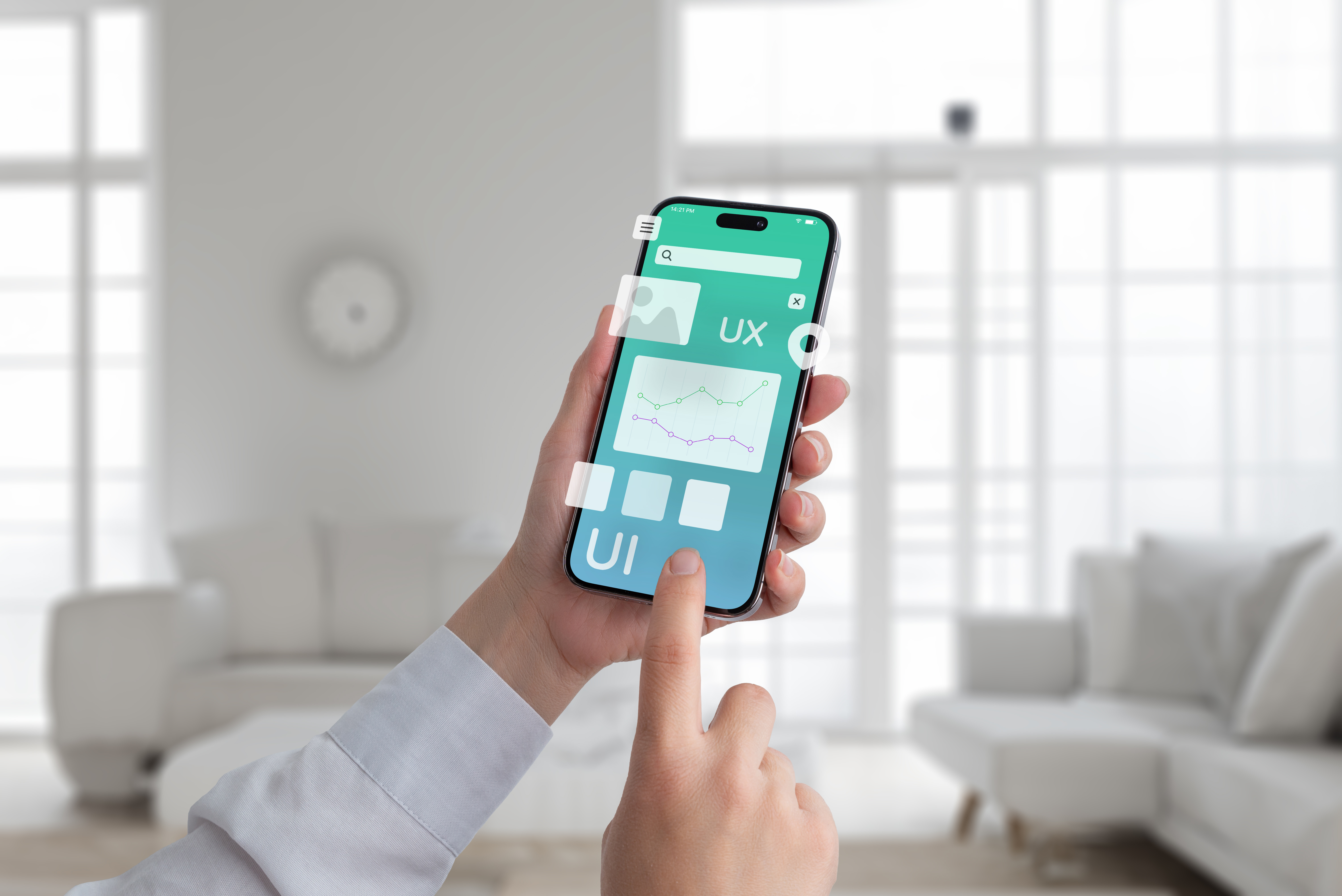
With more people browsing on mobile devices, your site must prioritize mobile users. Here’s how to ensure they enjoy their visit.

Responsive Layouts

Responsive layouts adjust seamlessly to different screen sizes, ensuring that your site looks great on any device. Whether on a smartphone or tablet, users expect a smooth experience. A responsive design eliminates the need for zooming or horizontal scrolling, making navigation a breeze.

Implementing a responsive layout involves flexible grids and images. It ensures that all elements, from text to buttons, adapt to the user’s screen. This approach enhances user satisfaction and can increase mobile traffic by 25%.

Consider mobile-first design as the foundation for your site. By prioritizing mobile users, you cater to the growing number who prefer browsing on-the-go. Interested in learning more about mobile web trends? Explore Emarsys’ take on the topic.

Fast Loading Times

Speed is crucial. Users expect quick load times and won’t wait around for slow pages. A delay of even a second can lead to higher bounce rates and lost opportunities. Faster sites not only provide a better user experience but also rank higher on search engines.

To improve loading times, optimize images, use caching, and minimize code. These steps ensure that your site loads swiftly, keeping users engaged and reducing frustration. A site that loads in under 3 seconds can see a dramatic increase in user retention.

Think of speed as the silent hero of user experience. The faster your site, the more users will stay and explore. Remember, in web design, every second counts.

🌟By incorporating these design trends, you position your website as a leader in customer engagement. Prioritize user experience, and you’ll see the benefits in user retention and satisfaction. If you’re ready to elevate your online presence, consider reaching out to experts who can make it happen.
quick

Quick Tips to Make Your Website User-Friendly

Most websites lose visitors because they’re hard to navigate or slow to load. Your audience won’t stick around if your site frustrates them. These quick tips will improve website usability and help you build user-friendly websites that keep clients engaged and eager to return. For more insights, check out this guide.

Enhance User Experience

ux ui design process for modish mobile application 6cbcdcf6aa23d8c8c014

Boosting your website’s usability begins with focusing on user experience. When visitors find your site easy to use, they’re more likely to stick around.

Simplify Navigation

The first step to a user-friendly site is smooth navigation. Visitors want to find information quickly. Use a simple menu structure that clearly directs users to the most important pages. For example, limit your top-level menu items to no more than seven options. This prevents overwhelming your audience. Offer a search bar for even faster access to information. A straightforward menu and a search feature guide users effortlessly through your content. Learn more about enhancing user experience here.

Optimize Page Load Speed

Speed matters. If your website takes too long to load, users will leave. Aim for load times of under three seconds. Compress images and use efficient coding techniques to speed things up. Try tools like Google PageSpeed Insights to identify areas for improvement. Fast websites keep visitors engaged, improving both retention and satisfaction.

Web Design Tips

blue white website building 3d illustration e4d6ae09174850508847

Once you’ve nailed the basics of usability, it’s time to refine your design. A well-designed website is a magnet for visitors.

Prioritize Mobile Responsiveness

Today, most users access sites on mobile devices, making mobile-friendliness crucial. Ensure your design adapts seamlessly to any screen size. Use responsive design techniques that adjust layouts automatically. Test your site on different devices to ensure everything looks and functions as it should. A mobile-friendly site keeps users engaged, no matter how they access it.

Use Clear Calls to Action

Every page should guide users toward a specific action. Place clear calls to action (CTAs) prominently on your site. Use action-oriented language, like “Start Your Free Trial” or “Contact Us Today.” Consistent and visible CTAs encourage users to take the next step, whether it’s making a purchase or filling out a form. Need more tips? Check out these web design suggestions.

Boost Website Usability

web design scheme grey 0795c935f8984e6510e1

With the right design in place, focus on functionality. Usability is the key to happy, returning visitors.

Improve Content Readability

Content is king, but only if it’s easy to read. Use short paragraphs and bullet points to break up text. Choose legible fonts and ensure text contrasts well with the background. Simple, concise content helps users digest information quickly, keeping them on your site longer.

Ensure Accessible Design

Accessibility is not just a trend; it’s essential. Incorporate features that accommodate all users, including those with disabilities. Use alt text for images, provide captions for videos, and ensure your site is navigable with a keyboard. By making your site accessible, you open your doors to a wider audience and demonstrate inclusivity. For additional guidance, visit this resource.

By implementing these strategies, you can transform your site into a user-friendly hub that attracts and retains visitors. Remember, the longer you wait to make these changes, the more potential clients you might miss. Embrace these tips and watch your website thrive. You can also read

website

Mastering Website Maintenance: Strategies for a Seamless Online Experience in 2026

Most websites lose visitors because they don’t stay fresh or easy to use. Your site needs regular updates and smart website maintenance to keep users engaged and safe. In this post, you’ll learn practical update strategies that protect your site and improve user-friendliness—all backed by the trusted team at God’s Grace Digital. Learn more about keeping your website in top shape here.

Essential Website Maintenance Tactics

computer monitor with abstract creative programmin f48e5bceee4b3d7d208a

Keeping your website running smoothly requires some essential steps. The right strategies not only maintain functionality but also boost your visitors’ trust. Let’s explore what your site needs to shine.

Regular Content Updates

Keeping your website content fresh is crucial. Regular updates keep people interested and returning for more. You might wonder, “Why should I update content that already works?” Well, even successful pages can grow stale. Search engines love fresh content. Updating your site can improve its ranking. Explore this checklist for tips on effective updates.

Try updating once a month. This could be as simple as refreshing text or adding new images. You might also consider creating a blog section if you don’t have one. New posts can attract more visitors. Remember, the key is relevance. Updates should reflect current trends and user interests. This ensures your site remains a valuable resource.

Security Measures and Backups

Protecting your site from threats is vital. Regular backups are your safety net. You never know when an issue might arise, so being prepared is essential. Most people think their sites are secure, but vulnerabilities can be sneaky. A backup ensures you can restore your site quickly if needed.

Security plugins can fortify your defenses. These tools monitor for threats and block attacks. Don’t wait for problems to arise. Regularly check your site for vulnerabilities. This proactive approach can save you lots of trouble down the line. For more detailed strategies, check out these best practices.

User-Friendly Website Strategies

application software update or hardware upgrade te 1667d435b3e9e3ed507b

Let’s shift focus to how your users interact with your site. A user-friendly design can significantly impact your site’s success. Here’s how to make your website more inviting.

Improving Website Speed

Site speed affects user satisfaction and search rankings. A slow site frustrates visitors and can drive them away. You might think your site is fast enough, but there’s always room for improvement. Aim for load times under three seconds. Over half of users leave if a site takes longer.

Compressing images and minimizing code can enhance speed. Use tools like Google PageSpeed Insights for valuable feedback. By optimizing each element, you ensure your site runs at peak performance. Faster sites not only keep visitors happy but also improve search visibility.

Enhancing Mobile Responsiveness

With more people browsing on phones, mobile responsiveness is crucial. Your site should look great on any device. A poor mobile experience can lead to high bounce rates. Think about this: if your mobile site isn’t easy to use, you’re losing potential customers.

Test your site on various devices. Ensure buttons are easy to tap and text is readable. A responsive design automatically adjusts to screen size. This ensures all users, regardless of how they access your site, have a pleasant experience. Learn more about ongoing updates to keep your mobile site top-notch.

Digital Solutions with God’s Grace Digital

blank computer screen during network 6c01331d83af6402ea07

At God’s Grace Digital, we understand the importance of a well-maintained site. Our solutions are designed to support your needs and elevate your online presence.

Comprehensive Maintenance Packages

Our maintenance packages cover everything from content updates to security checks. We tailor solutions to fit your specific needs. Whether you’re a business owner or an individual, we’ve got you covered. You might think you can handle maintenance alone, but professional help saves time and ensures thoroughness. Our team brings years of experience, ensuring your site remains in excellent condition.

We focus on keeping your site safe and up to date. Our packages include regular backups, security monitoring, and content updates. This holistic approach ensures your site runs smoothly and ranks well. Discover how our expertise can benefit you by exploring our maintenance checklist.

Free Consultation Offer 🚀

Ready to take your site to the next level? We offer a free consultation to discuss your needs and how we can help. This no-obligation session provides insights into your current setup and improvement areas. Most assume consultations are costly, but ours is a valuable, risk-free opportunity.

Don’t wait for problems to arise. The longer you delay, the more you miss out on potential business opportunities. Reach out today to see how our tailored solutions can make a difference. Contact us for your free consultation and start your journey towards a more effective online presence.

In conclusion, maintaining a website isn’t just about keeping it running. It’s about ensuring it thrives. With the right strategies, you can improve user engagement and security, making your site a valuable asset. Choose God’s Grace Digital for a partner who understands your needs and provides comprehensive solutions.

website

Why a User-Friendly Website in 2026 is Your Best Business Asset

Most websites lose visitors because they frustrate users. When your site is hard to navigate, potential customers leave before you even get a chance. A user-friendly website isn’t just nice to have—it’s your best business asset for boosting your online presence and driving digital growth. Let’s explore how smart web design can turn your website into a powerful tool that works for you. For more insights, check out this article.

The Power of a User-Friendly Website

modern responsive design devices mockup 8517c66633e335efab54

A smooth online experience is key to keeping visitors on your site. Let’s look at the benefits of having a site that’s easy to use.

Boosting Your Online Presence

Your website is your digital storefront. A clear and attractive design grabs attention fast. When visitors can find what they need quickly, they stay longer. This builds credibility and trust. A well-structured site also makes it easier for search engines to find you, boosting your visibility online.

For more ideas on enhancing your online reach, consider exploring the importance of user-friendliness in web design.

Enhancing User Experience

Think of user experience as the customer’s journey on your site. It should be smooth and straightforward. Simple navigation and clear calls to action guide users to what they need. This creates a positive impression, increasing the chances they’ll come back. Happy users are more likely to become loyal customers.

Driving Digital Growth

A user-friendly website is a powerful tool for growth. It not only attracts visitors but also turns them into customers. By improving the ease of use, you increase engagement and conversion rates. This directly impacts your bottom line. The longer you wait to improve your site, the more potential customers you might lose.

Why User Experience Matters

flat black and white web design studio page layout b69b351d7849e20c66d9

How your site functions can make or break the user experience. Let’s dive into why it’s crucial to get it right.

Engaging Visitors Effectively

First impressions matter. A clean design and fast loading times ensure visitors stay engaged. If users can’t find what they need quickly, they’ll leave. Clear menus and search functions help keep them interested. This ensures they explore more of your services, leading to higher interaction rates.

To learn more about engaging visitors, read this article.

Simplifying Navigation for Success

Navigation is the backbone of user experience. Visitors should find what they need in just a few clicks. Organize your site logically, keeping important information front and center. Easy navigation reduces frustration, ensuring users have a pleasant experience. This simplicity encourages them to explore further, increasing the chances of conversion.

God’s Grace Digital: Your Website Solution

user interface and experience modules of a web pag d592a60321862be6d2a8

At God’s Grace Digital, we specialize in creating sites that stand out. We focus on making your website both beautiful and functional.

Tailored Web Design Services

We understand each business is unique. Our team crafts custom designs that reflect your brand. Whether you’re a small business or an individual, we bring your vision to life. Our designs focus on ease of use, ensuring your site meets your visitors’ needs effectively.

Commitment to Client Satisfaction

Our clients’ success is our top priority. We work closely with you to understand your goals and challenges. With years of experience, we’re here to guide you every step of the way. Our commitment to quality ensures you get a website that not only looks great but also performs exceptionally.

For more about the importance of having a user-friendly site, visit this resource and also read.

A user-friendly website is more than a digital asset; it’s your gateway to growth and success. At God’s Grace Digital, we’re ready to help you unlock your site’s potential.

Business

Simple Steps to Refresh Your Business Website Now In 2026

Your website looks outdated, and visitors leave before exploring. This hurts your online presence and sales. A simple website refresh can turn that around quickly. In this post, you’ll find easy steps to update your business website design and create user-friendly websites that keep clients coming back. Check out this guide for more insights.

Assess Your Website Needs

business

To kick things off, understanding what your site needs is crucial. Let’s dig into how you can identify key areas for improvement and analyze your current performance.

Identify Key Areas for Improvement

Start by exploring each part of your website. Is your homepage inviting? Do your contact details stand out? Most people think a flashy design is all it takes, but simplicity often wins. By focusing on the essentials, you can guide visitors more effectively.

Take a moment to consider what features your audience values. For businesses, this might mean ensuring your services are easy to find. Personal websites might benefit from showcasing your latest projects up front. Consider the feedback you’ve received from users—this is a gold mine for improvement ideas.

By focusing on these areas, you can create a checklist of changes that promise a significant impact. This approach helps you prioritize tasks without feeling overwhelmed. For more tips on identifying these areas, check out this helpful list.

Analyze Current Performance

How does your website stack up today? Use online tools like Google Analytics to get the scoop. Numbers don’t lie—a spike in bounce rate could mean visitors aren’t finding what they need.

Dive into data like page views and session durations. These metrics reveal where visitors spend their time and which pages they exit quickly. A common misconception is that high traffic means success, but engagement matters more.

With this information, you can make informed decisions. Maybe it’s time to revamp your About page or update your blog. Remember, the longer you wait to address these issues, the harder it becomes to regain lost ground. For a more detailed analysis, this checklist can guide you.

Implement User-Friendly Updates

responsive web design website wireframe sketch lay 9f099265c4374f6c6c16

Improving your website’s usability can transform how visitors interact with your content. Here’s how to streamline navigation and optimize your content for engagement.

Streamline Navigation for Visitors

Let’s make it easier for users to find what they need. Clear menus and intuitive categories can make a big difference. You might believe complex navigation impresses users, but simplicity is key.

Consider a top navigation bar with straightforward labels. Group related content under common headings. This isn’t just about aesthetics; it’s about making the user’s journey smooth and hassle-free.

Test your changes with a small group. Watch how they move through your site. Are they finding what they need quickly? Their feedback is invaluable for fine-tuning your design. For ideas on streamlining, visit this resource.

Optimize Content for Engagement

Content is king, but only if it engages. Start by ensuring your text is easy to read. Use short paragraphs and bullet points for clarity. A common pitfall is cluttered pages that overwhelm rather than inform.

Incorporate visuals where possible. Images and videos can convey messages more effectively than text alone. Keep your audience in mind—what are their interests? Tailor content to meet their needs and encourage interaction.

Regular updates keep your site fresh and relevant. Schedule time each month to review and refresh content. This commitment not only keeps your site up-to-date but also improves your search engine rankings. For a deeper dive, consider these updates.

Enhance Visual Appeal

business

Visual elements are the first thing visitors notice. Refreshing your design elements and incorporating modern visuals can make a lasting impression.

Refresh Design Elements

Design is more than just color and layout; it’s about creating a welcoming digital space. You might think flashy animations are necessary, but a clean, consistent look often works better.

Start by updating your color palette. Choose colors that reflect your brand and evoke the right emotions. Next, ensure your fonts are readable across devices. Consistency in design builds trust and makes your brand memorable.

Consider the impact of whitespace. It allows elements to breathe and draws attention to key areas. A cluttered design can be off-putting, while a balanced one invites exploration. Here’s a useful guide on effective design refreshes.

Incorporate Modern Visuals

Modern visuals can set your site apart. High-quality images and graphics can enhance your brand’s message. While many believe stock photos suffice, original images can create a more authentic connection.

Dynamic visuals like GIFs or short videos can also captivate visitors. They provide context and keep users engaged. Ensure all visuals are optimized for fast loading times; slow pages drive users away.

Don’t forget about mobile users. A responsive design ensures your visuals look great on all devices. Regularly update your visuals to reflect current trends and keep your content fresh. For more inspiration, see these examples.

🌐✨By following these steps, you can transform your website into a powerful tool for your business. Remember, a well-designed website not only attracts visitors but also converts them into loyal clients. Keep evaluating and updating to maintain your edge in the digital space.

graphic design

Designing a Modern and User-Friendly Website from Scratch

Introduction

graphic design

In today’s digital age, having a modern and user-friendly website is essential for any business or individual looking to establish an online presence. A well-designed website not only attracts visitors but also keeps them engaged, resulting in increased traffic, conversions, and overall success. Designing a modern and user-friendly website from scratch requires careful planning, attention to detail, and a deep understanding of user behavior and preferences. In this comprehensive guide, we will explore the key aspects and best practices involved in creating a website that is both visually appealing and user-friendly.

Why Designing a Modern and User-Friendly Website Matters

service web design

Designing a modern and user-friendly website is crucial for several reasons. Firstly, it creates a positive first impression. When visitors land on your website, they form an immediate impression based on its design, layout, and overall usability. A visually appealing and intuitive website design helps establish trust and credibility, encouraging users to explore further.

Secondly, a user-friendly website enhances the overall user experience. Visitors should be able to navigate through your website effortlessly, find the information they need, and perform desired actions seamlessly. Intuitive navigation, clear call-to-action buttons, and well-organized content contribute to a positive user experience and increase the chances of achieving your website’s goals, whether it’s generating leads, making sales, or providing information.

Lastly, a modern and user-friendly website improves search engine optimization (SEO). Search engines like Google prioritize websites that provide a great user experience. By adhering to modern design principles and ensuring user-friendliness, your website is more likely to rank higher in search engine results, driving organic traffic and increasing visibility.

Essential Elements of a Modern and User-Friendly Website

Responsive Web Design

Designing a modern and user-friendly website starts with adopting a responsive web design approach. With the increasing use of smartphones and tablets, it’s crucial to ensure your website looks and functions well across various devices and screen sizes. Responsive web design allows your website to adapt seamlessly to different platforms, providing an optimal user experience regardless of the device being used.

Intuitive Navigation

Smooth and intuitive navigation is key to keeping visitors engaged and reducing bounce rates. Users should be able to find what they’re looking for quickly and easily. A well-designed navigation menu, clear labels, and logical page hierarchy contribute to an intuitive navigation system. Consider using dropdown menus, breadcrumbs, and a search bar to enhance usability further.

Engaging Visuals and Multimedia

service1

Visual elements play a significant role in capturing visitors’ attention and conveying information effectively. When designing a modern website, pay attention to high-quality images, videos, and graphics that align with your brand’s aesthetics. Utilize whitespace effectively to create a clean and uncluttered design. Additionally, consider incorporating multimedia elements such as sliders, carousels, and interactive features to make the website more engaging.

Readable Typography

Choosing the right typography is crucial for readability and user experience. Opt for fonts that are legible and easy on the eyes. Use font sizes and line spacing that allow for comfortable reading. Additionally, consider using headings, subheadings, and bullet points to break up content and make it scannable.

Clear Call-to-Action Buttons

graphic design

A call-to-action (CTA) button is a crucial element of any website. It directs users towards desired actions such as making a purchase, signing up for a newsletter, or contacting your business. Design visually prominent and well-placed CTA buttons with clear and concise text. Use contrasting colors to make them stand out and ensure they are easily clickable on both desktop and mobile devices.

Fast Loading Speed

In today’s fast-paced world, users expect websites to load quickly. Slow-loading websites not only frustrate visitors but also negatively impact search engine rankings. Optimize your website’s performance by minimizing image and file sizes, leveraging caching techniques, and using a reliable hosting provider. Regularly monitor and optimize loading times to ensure a smooth user experience.

Mobile-Friendly Design

Mobile devices account for a significant portion of web traffic. Therefore, it is vital to design your website with mobile users in mind. Adopting a mobile-first approach ensures that your website looks and functions flawlessly on smaller screens. Test your website’s responsiveness across various devices and use tools like Google’s Mobile-Friendly Test to identify and fix any issues.

Seamless Content Organization

affiliate marketing

Proper content organization is essential for both users and search engines. Divide your content into logical sections using headings and subheadings. This improves readability and allows users to scan through the content quickly. Incorporate bullet points, numbered lists, and tables to present information in a clear and organized manner.

FAQs about Designing a Modern and User-Friendly Website from Scratch

FAQ 1: What are the key factors to consider when designing a modern website?

When designing a modern website, consider factors such as responsive web design, intuitive navigation, engaging visuals, readable typography, clear call-to-action buttons, fast loading speed, mobile-friendly design, and seamless content organization.

FAQ 2: How can I ensure my website is user-friendly?

To ensure your website is user-friendly, focus on intuitive navigation, clear and concise content, responsive design, fast loading speed, mobile optimization, and accessibility. Conduct user testing to identify any areas that need improvement.

FAQ 3: Why is mobile-friendliness important for website design?

Mobile-friendliness is essential because a significant portion of web traffic comes from mobile devices. By designing your website to be mobile-friendly, you provide a seamless user experience across all devices and improve your chances of ranking higher in mobile search results.

FAQ 4: How can I optimize my website’s loading speed?

To optimize your website’s loading speed, consider minimizing image and file sizes, enabling caching, leveraging browser caching, and choosing a reliable hosting provider. Regularly monitor your website’s performance using tools like Google PageSpeed Insights and make necessary optimizations.

FAQ 5: What role does SEO play in website design?

SEO plays a vital role in website design as it helps improve your website’s visibility and organic traffic. By following SEO best practices such as optimizing meta tags, using relevant keywords, and creating high-quality content, you can increase your chances of ranking higher in search engine results.

FAQ 6: How often should I update my website’s design?

Website design trends evolve over time, and it’s essential to stay up to date. While there is no fixed timeframe, aim to update your website’s design every few years or when significant changes in design trends occur. Regularly analyze user feedback and track website metrics to identify areas that require design improvements.

Conclusion

Designing a modern and user-friendly website from scratch requires careful planning and attention to detail. By considering elements such as responsive web design, intuitive navigation, engaging visuals, readable typography, clear CTAs, fast loading speed, and mobile-friendliness, you can create a website that captivates users and achieves your desired goals. Remember to regularly update your website’s design and keep up with the latest trends to provide the best user experience possible. With a well-designed website, you can establish a strong online presence and drive success for your business.

web designing process

The Ultimate Guide to Website Design in 2023

Are you looking to create a stunning website that represents your brand or business? Designing a website can be a daunting task, but it doesn’t have to be. In this ultimate guide, we’ll outline the steps involved in creating a professional website that will attract visitors and boost your online presence.

Step 1: Define Your Purpose and Goals

Before you start designing your website, it’s important to define your purpose and goals. What do you want your website to accomplish? Are you looking to sell products, generate leads, or simply provide information to your audience? Once you have a clear understanding of your purpose and goals, you can move on to the next step.

Step 2: Choose a Domain Name and Web Hosting

Your domain name is the address of your website on the internet. Choose a domain name that is memorable and easy to spell. Once you have your domain name, you need to choose a web hosting provider. A good web host will ensure that your website is always available and loads quickly.

Step 3: Plan Your Website’s Structure and Content

The structure and content of your website are crucial to its success. Start by creating a site map that outlines all the pages you want on your website. From there, you can start creating content for each page. Make sure your content is informative, engaging, and optimized for SEO.

Step 4: Choose a Website Design and Layout

Your website design and layout are what visitors will see first, so it’s important to choose a design that is visually appealing and easy to navigate. Consider using a responsive design that will adapt to different screen sizes and devices.

Step 5: Develop Your Website

Once you have a plan for your website’s structure, content, and design, it’s time to start developing your website. You can either hire a web developer or use a website builder to create your site. Make sure your website is optimized for speed and security.

Step 6: Test Your Website

Before you launch your website, you need to test it thoroughly to make sure everything is working properly. Check for broken links, typos, and formatting errors. Test your website on different devices and browsers to make sure it looks good and functions well.

Step 7: Launch Your Website

Congratulations, you’re ready to launch your website! Make sure you have a marketing plan in place to promote your website and attract visitors. Consider using social media, email marketing, and SEO to drive traffic to your site.

In conclusion, designing a website involves several important steps, from defining your purpose and goals to launching your site. By following these steps, you can create a professional website that will attract visitors and help you achieve your online goals.

graphic

The ultimate way Grow a Website Designing Company

Do you anticipate having trouble expanding your website design firm in 2023? It can be difficult to stand out and draw in new customers due to the intense market rivalry. In this blog post, we’ll go over some advice that can help you expand your website design company in 2023 while also making it SEO-friendly.

  1. Optimize Your Website: Your website is the public face of your company, so it’s important to provide a favorable first impression. Make sure your website is user-friendly, visually beautiful, and SEO-optimized. To make your material more understandable to search engines and improve your website’s ranking, include pertinent keywords, meta descriptions, and alt tags.
  2. Provide Freebies: Providing freebies on your website, such as e-books, design templates, or website audits, can help you draw in more visitors. Ensure that the freebies relate to your services and benefit your intended audience.
  3. High-quality content creation can help you establish your expertise and draw in potential customers. Examples of high-quality material include blog entries, case studies, and video lessons. To improve your website’s SEO ranking, use pertinent keywords and add both internal and external links.
  4. Use social media: Social media is a great way to promote your job, expand your network, and draw in new customers. Establish social media accounts for your company and provide updates, design advice, and examples of your work frequently. To enhance interaction and visibility, make use of pertinent hashtags and engage with your fans.
  5. Work Together with Other Companies: Working together with companies that provide complimentary services can help you expand your network and reach new customers. Cross-promote each other’s services on your website and social media channels by collaborating with other companies.
  6. Attend design conferences and workshops: Keeping up with the most recent design trends, approaches, and tools can be accomplished through attending design conferences and workshops. You may expand your network and draw in potential clients by networking with other designers.
  7. Invest in Paid Advertising: Pay-for-performance advertising, like Google AdWords or social media ads, can help you become more visible and draw in new customers. Use relevant keywords and focus your adverts to your precise target demographic.
  8. Request referrals: Happy customers are more inclined to recommend you to their contacts. Encourage your pleased customers to recommend you to others and offer them a perk like a discount or a freebie as a thank you.
  9. Provide Competitive Pricing: Do market research on pricing norms and present competitive pricing that is consistent with your knowledge and experience. Pricing yourself reasonably will help you draw customers, especially if you’re new to the field.

In conclusion, in 2023 you’ll need to combine SEO optimization, content production, social media marketing, collaboration, and paid advertising to expand your website design firm. By using these suggestions, you’ll be well on your way to creating a thriving website design company while also making your material SEO-friendly.

great

5 Steps of Becoming A Great Web Developer

As technology continues to advance and the demand for web development skills grows, becoming a great web developer can be a rewarding and lucrative career choice. However, it takes more than just knowing how to write code to excel in this field. In this blog post, we’ll explore the steps you can take to become a great web developer and how to rank your blog post high on Google.

  1. Develop a strong foundation in coding

A great web developer should have a solid foundation in coding languages such as HTML, CSS, and JavaScript. You can start by taking online courses, attending coding boot camps, or pursuing a degree in computer science or a related field.

  1. Learn to collaborate with others

Web development is a collaborative process, and it’s essential to learn how to work with others effectively. This includes being able to communicate with other developers, designers, and project managers, as well as being able to work in a team environment.

  1. Stay up to date with new technologies

The web development industry is constantly evolving, and it’s important to stay up to date with new technologies and trends. This includes learning about new programming languages, frameworks, and tools, as well as staying informed about changes in search engine algorithms and mobile device usage.

  1. Build a portfolio

A great web developer should have a strong portfolio that showcases their skills and expertise. This can include personal projects, contributions to open-source projects, or freelance work. Your portfolio can be a powerful tool to demonstrate your abilities and land new clients or job opportunities.

  1. Continuously practice and learn

Practice makes perfect, and web development is no exception. Continuously practice your skills by building new projects or contributing to existing ones. Additionally, take the time to learn from other developers, attend web development conferences, and participate in online forums and communities.