quick

Quick Tips to Make Your Website User-Friendly

Most websites lose visitors because they’re hard to navigate or slow to load. Your audience won’t stick around if your site frustrates them. These quick tips will improve website usability and help you build user-friendly websites that keep clients engaged and eager to return. For more insights, check out this guide.

Enhance User Experience
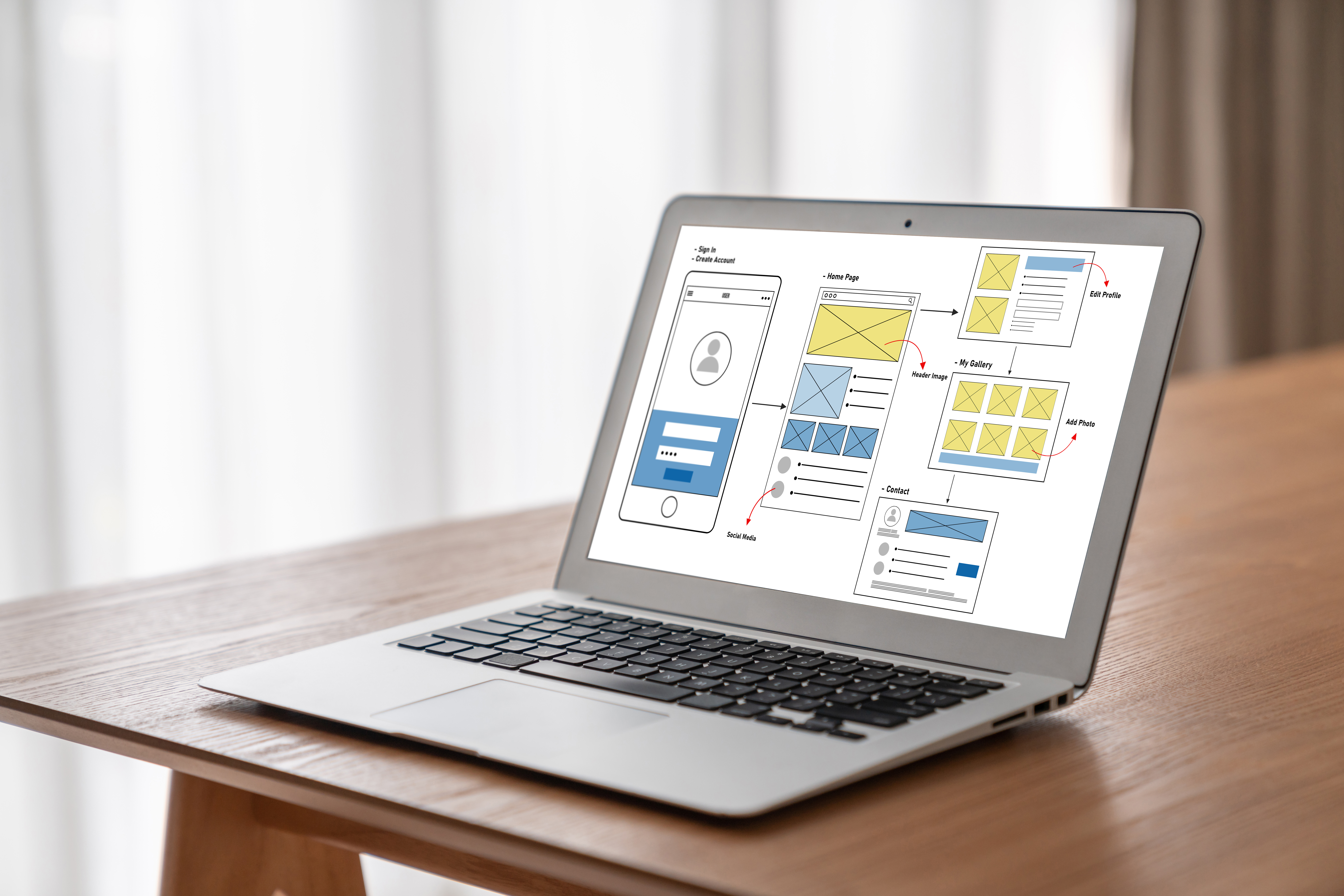
ux ui design process for modish mobile application 6cbcdcf6aa23d8c8c014

Boosting your website’s usability begins with focusing on user experience. When visitors find your site easy to use, they’re more likely to stick around.

Simplify Navigation

The first step to a user-friendly site is smooth navigation. Visitors want to find information quickly. Use a simple menu structure that clearly directs users to the most important pages. For example, limit your top-level menu items to no more than seven options. This prevents overwhelming your audience. Offer a search bar for even faster access to information. A straightforward menu and a search feature guide users effortlessly through your content. Learn more about enhancing user experience here.

Optimize Page Load Speed

Speed matters. If your website takes too long to load, users will leave. Aim for load times of under three seconds. Compress images and use efficient coding techniques to speed things up. Try tools like Google PageSpeed Insights to identify areas for improvement. Fast websites keep visitors engaged, improving both retention and satisfaction.

Web Design Tips
blue white website building 3d illustration e4d6ae09174850508847

Once you’ve nailed the basics of usability, it’s time to refine your design. A well-designed website is a magnet for visitors.

Prioritize Mobile Responsiveness

Today, most users access sites on mobile devices, making mobile-friendliness crucial. Ensure your design adapts seamlessly to any screen size. Use responsive design techniques that adjust layouts automatically. Test your site on different devices to ensure everything looks and functions as it should. A mobile-friendly site keeps users engaged, no matter how they access it.

Use Clear Calls to Action

Every page should guide users toward a specific action. Place clear calls to action (CTAs) prominently on your site. Use action-oriented language, like “Start Your Free Trial” or “Contact Us Today.” Consistent and visible CTAs encourage users to take the next step, whether it’s making a purchase or filling out a form. Need more tips? Check out these web design suggestions.

Boost Website Usability
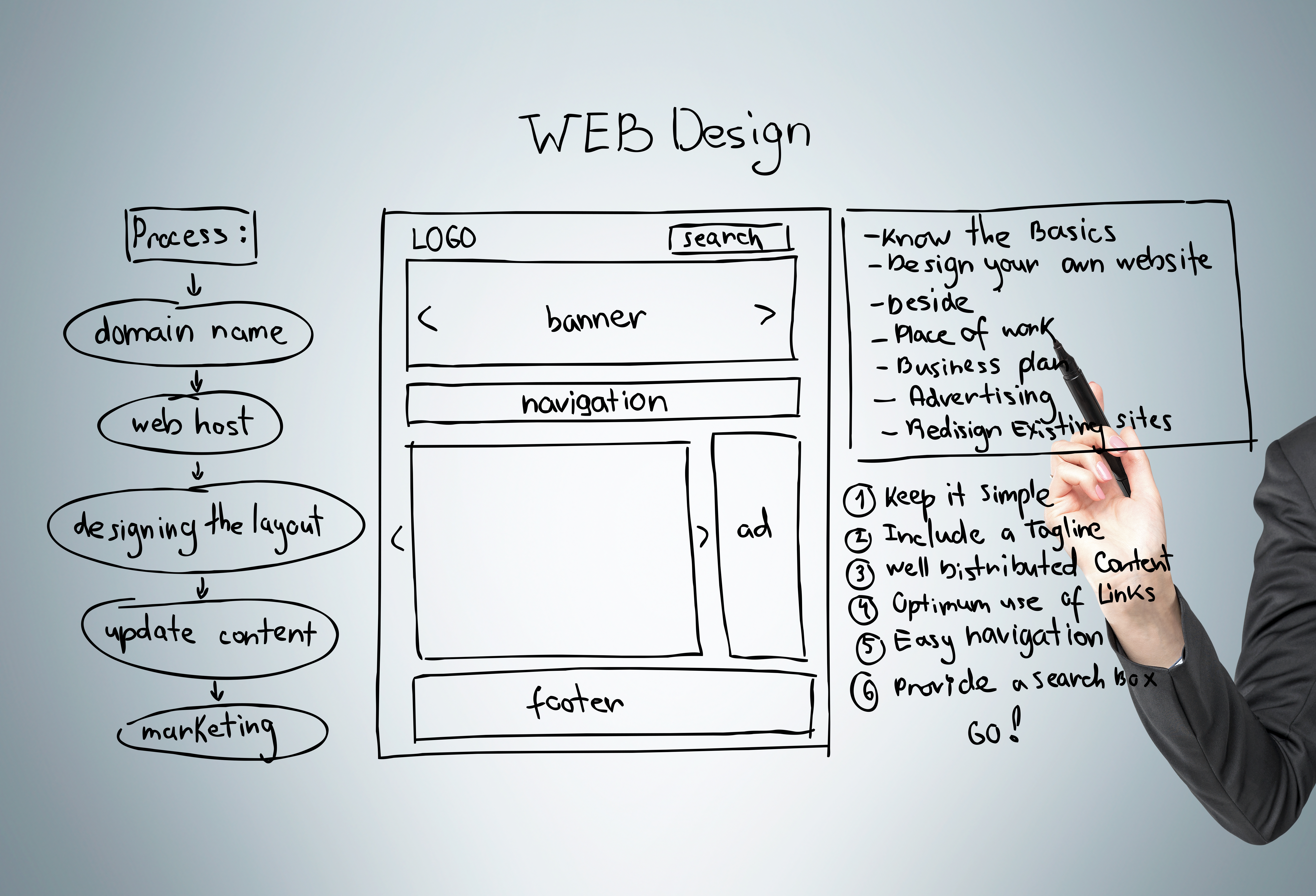
web design scheme grey 0795c935f8984e6510e1

With the right design in place, focus on functionality. Usability is the key to happy, returning visitors.

Improve Content Readability

Content is king, but only if it’s easy to read. Use short paragraphs and bullet points to break up text. Choose legible fonts and ensure text contrasts well with the background. Simple, concise content helps users digest information quickly, keeping them on your site longer.

Ensure Accessible Design

Accessibility is not just a trend; it’s essential. Incorporate features that accommodate all users, including those with disabilities. Use alt text for images, provide captions for videos, and ensure your site is navigable with a keyboard. By making your site accessible, you open your doors to a wider audience and demonstrate inclusivity. For additional guidance, visit this resource.

By implementing these strategies, you can transform your site into a user-friendly hub that attracts and retains visitors. Remember, the longer you wait to make these changes, the more potential clients you might miss. Embrace these tips and watch your website thrive. You can also read

website

Mastering Website Maintenance: Strategies for a Seamless Online Experience in 2026

Most websites lose visitors because they don’t stay fresh or easy to use. Your site needs regular updates and smart website maintenance to keep users engaged and safe. In this post, you’ll learn practical update strategies that protect your site and improve user-friendliness—all backed by the trusted team at God’s Grace Digital. Learn more about keeping your website in top shape here.

Essential Website Maintenance Tactics

computer monitor with abstract creative programmin f48e5bceee4b3d7d208a

Keeping your website running smoothly requires some essential steps. The right strategies not only maintain functionality but also boost your visitors’ trust. Let’s explore what your site needs to shine.

Regular Content Updates

Keeping your website content fresh is crucial. Regular updates keep people interested and returning for more. You might wonder, “Why should I update content that already works?” Well, even successful pages can grow stale. Search engines love fresh content. Updating your site can improve its ranking. Explore this checklist for tips on effective updates.

Try updating once a month. This could be as simple as refreshing text or adding new images. You might also consider creating a blog section if you don’t have one. New posts can attract more visitors. Remember, the key is relevance. Updates should reflect current trends and user interests. This ensures your site remains a valuable resource.

Security Measures and Backups

Protecting your site from threats is vital. Regular backups are your safety net. You never know when an issue might arise, so being prepared is essential. Most people think their sites are secure, but vulnerabilities can be sneaky. A backup ensures you can restore your site quickly if needed.

Security plugins can fortify your defenses. These tools monitor for threats and block attacks. Don’t wait for problems to arise. Regularly check your site for vulnerabilities. This proactive approach can save you lots of trouble down the line. For more detailed strategies, check out these best practices.

User-Friendly Website Strategies

application software update or hardware upgrade te 1667d435b3e9e3ed507b

Let’s shift focus to how your users interact with your site. A user-friendly design can significantly impact your site’s success. Here’s how to make your website more inviting.

Improving Website Speed

Site speed affects user satisfaction and search rankings. A slow site frustrates visitors and can drive them away. You might think your site is fast enough, but there’s always room for improvement. Aim for load times under three seconds. Over half of users leave if a site takes longer.

Compressing images and minimizing code can enhance speed. Use tools like Google PageSpeed Insights for valuable feedback. By optimizing each element, you ensure your site runs at peak performance. Faster sites not only keep visitors happy but also improve search visibility.

Enhancing Mobile Responsiveness

With more people browsing on phones, mobile responsiveness is crucial. Your site should look great on any device. A poor mobile experience can lead to high bounce rates. Think about this: if your mobile site isn’t easy to use, you’re losing potential customers.

Test your site on various devices. Ensure buttons are easy to tap and text is readable. A responsive design automatically adjusts to screen size. This ensures all users, regardless of how they access your site, have a pleasant experience. Learn more about ongoing updates to keep your mobile site top-notch.

Digital Solutions with God’s Grace Digital

blank computer screen during network 6c01331d83af6402ea07

At God’s Grace Digital, we understand the importance of a well-maintained site. Our solutions are designed to support your needs and elevate your online presence.

Comprehensive Maintenance Packages

Our maintenance packages cover everything from content updates to security checks. We tailor solutions to fit your specific needs. Whether you’re a business owner or an individual, we’ve got you covered. You might think you can handle maintenance alone, but professional help saves time and ensures thoroughness. Our team brings years of experience, ensuring your site remains in excellent condition.

We focus on keeping your site safe and up to date. Our packages include regular backups, security monitoring, and content updates. This holistic approach ensures your site runs smoothly and ranks well. Discover how our expertise can benefit you by exploring our maintenance checklist.

Free Consultation Offer 🚀

Ready to take your site to the next level? We offer a free consultation to discuss your needs and how we can help. This no-obligation session provides insights into your current setup and improvement areas. Most assume consultations are costly, but ours is a valuable, risk-free opportunity.

Don’t wait for problems to arise. The longer you delay, the more you miss out on potential business opportunities. Reach out today to see how our tailored solutions can make a difference. Contact us for your free consultation and start your journey towards a more effective online presence.

In conclusion, maintaining a website isn’t just about keeping it running. It’s about ensuring it thrives. With the right strategies, you can improve user engagement and security, making your site a valuable asset. Choose God’s Grace Digital for a partner who understands your needs and provides comprehensive solutions.

website

Why a User-Friendly Website in 2026 is Your Best Business Asset

Most websites lose visitors because they frustrate users. When your site is hard to navigate, potential customers leave before you even get a chance. A user-friendly website isn’t just nice to have—it’s your best business asset for boosting your online presence and driving digital growth. Let’s explore how smart web design can turn your website into a powerful tool that works for you. For more insights, check out this article.

The Power of a User-Friendly Website

modern responsive design devices mockup 8517c66633e335efab54

A smooth online experience is key to keeping visitors on your site. Let’s look at the benefits of having a site that’s easy to use.

Boosting Your Online Presence

Your website is your digital storefront. A clear and attractive design grabs attention fast. When visitors can find what they need quickly, they stay longer. This builds credibility and trust. A well-structured site also makes it easier for search engines to find you, boosting your visibility online.

For more ideas on enhancing your online reach, consider exploring the importance of user-friendliness in web design.

Enhancing User Experience

Think of user experience as the customer’s journey on your site. It should be smooth and straightforward. Simple navigation and clear calls to action guide users to what they need. This creates a positive impression, increasing the chances they’ll come back. Happy users are more likely to become loyal customers.

Driving Digital Growth

A user-friendly website is a powerful tool for growth. It not only attracts visitors but also turns them into customers. By improving the ease of use, you increase engagement and conversion rates. This directly impacts your bottom line. The longer you wait to improve your site, the more potential customers you might lose.

Why User Experience Matters

flat black and white web design studio page layout b69b351d7849e20c66d9

How your site functions can make or break the user experience. Let’s dive into why it’s crucial to get it right.

Engaging Visitors Effectively

First impressions matter. A clean design and fast loading times ensure visitors stay engaged. If users can’t find what they need quickly, they’ll leave. Clear menus and search functions help keep them interested. This ensures they explore more of your services, leading to higher interaction rates.

To learn more about engaging visitors, read this article.

Simplifying Navigation for Success

Navigation is the backbone of user experience. Visitors should find what they need in just a few clicks. Organize your site logically, keeping important information front and center. Easy navigation reduces frustration, ensuring users have a pleasant experience. This simplicity encourages them to explore further, increasing the chances of conversion.

God’s Grace Digital: Your Website Solution

user interface and experience modules of a web pag d592a60321862be6d2a8

At God’s Grace Digital, we specialize in creating sites that stand out. We focus on making your website both beautiful and functional.

Tailored Web Design Services

We understand each business is unique. Our team crafts custom designs that reflect your brand. Whether you’re a small business or an individual, we bring your vision to life. Our designs focus on ease of use, ensuring your site meets your visitors’ needs effectively.

Commitment to Client Satisfaction

Our clients’ success is our top priority. We work closely with you to understand your goals and challenges. With years of experience, we’re here to guide you every step of the way. Our commitment to quality ensures you get a website that not only looks great but also performs exceptionally.

For more about the importance of having a user-friendly site, visit this resource and also read.

A user-friendly website is more than a digital asset; it’s your gateway to growth and success. At God’s Grace Digital, we’re ready to help you unlock your site’s potential.

Business

Simple Steps to Refresh Your Business Website Now In 2026

Your website looks outdated, and visitors leave before exploring. This hurts your online presence and sales. A simple website refresh can turn that around quickly. In this post, you’ll find easy steps to update your business website design and create user-friendly websites that keep clients coming back. Check out this guide for more insights.

Assess Your Website Needs

business

To kick things off, understanding what your site needs is crucial. Let’s dig into how you can identify key areas for improvement and analyze your current performance.

Identify Key Areas for Improvement

Start by exploring each part of your website. Is your homepage inviting? Do your contact details stand out? Most people think a flashy design is all it takes, but simplicity often wins. By focusing on the essentials, you can guide visitors more effectively.

Take a moment to consider what features your audience values. For businesses, this might mean ensuring your services are easy to find. Personal websites might benefit from showcasing your latest projects up front. Consider the feedback you’ve received from users—this is a gold mine for improvement ideas.

By focusing on these areas, you can create a checklist of changes that promise a significant impact. This approach helps you prioritize tasks without feeling overwhelmed. For more tips on identifying these areas, check out this helpful list.

Analyze Current Performance

How does your website stack up today? Use online tools like Google Analytics to get the scoop. Numbers don’t lie—a spike in bounce rate could mean visitors aren’t finding what they need.

Dive into data like page views and session durations. These metrics reveal where visitors spend their time and which pages they exit quickly. A common misconception is that high traffic means success, but engagement matters more.

With this information, you can make informed decisions. Maybe it’s time to revamp your About page or update your blog. Remember, the longer you wait to address these issues, the harder it becomes to regain lost ground. For a more detailed analysis, this checklist can guide you.

Implement User-Friendly Updates

responsive web design website wireframe sketch lay 9f099265c4374f6c6c16

Improving your website’s usability can transform how visitors interact with your content. Here’s how to streamline navigation and optimize your content for engagement.

Streamline Navigation for Visitors

Let’s make it easier for users to find what they need. Clear menus and intuitive categories can make a big difference. You might believe complex navigation impresses users, but simplicity is key.

Consider a top navigation bar with straightforward labels. Group related content under common headings. This isn’t just about aesthetics; it’s about making the user’s journey smooth and hassle-free.

Test your changes with a small group. Watch how they move through your site. Are they finding what they need quickly? Their feedback is invaluable for fine-tuning your design. For ideas on streamlining, visit this resource.

Optimize Content for Engagement

Content is king, but only if it engages. Start by ensuring your text is easy to read. Use short paragraphs and bullet points for clarity. A common pitfall is cluttered pages that overwhelm rather than inform.

Incorporate visuals where possible. Images and videos can convey messages more effectively than text alone. Keep your audience in mind—what are their interests? Tailor content to meet their needs and encourage interaction.

Regular updates keep your site fresh and relevant. Schedule time each month to review and refresh content. This commitment not only keeps your site up-to-date but also improves your search engine rankings. For a deeper dive, consider these updates.

Enhance Visual Appeal

business

Visual elements are the first thing visitors notice. Refreshing your design elements and incorporating modern visuals can make a lasting impression.

Refresh Design Elements

Design is more than just color and layout; it’s about creating a welcoming digital space. You might think flashy animations are necessary, but a clean, consistent look often works better.

Start by updating your color palette. Choose colors that reflect your brand and evoke the right emotions. Next, ensure your fonts are readable across devices. Consistency in design builds trust and makes your brand memorable.

Consider the impact of whitespace. It allows elements to breathe and draws attention to key areas. A cluttered design can be off-putting, while a balanced one invites exploration. Here’s a useful guide on effective design refreshes.

Incorporate Modern Visuals

Modern visuals can set your site apart. High-quality images and graphics can enhance your brand’s message. While many believe stock photos suffice, original images can create a more authentic connection.

Dynamic visuals like GIFs or short videos can also captivate visitors. They provide context and keep users engaged. Ensure all visuals are optimized for fast loading times; slow pages drive users away.

Don’t forget about mobile users. A responsive design ensures your visuals look great on all devices. Regularly update your visuals to reflect current trends and keep your content fresh. For more inspiration, see these examples.

🌐✨By following these steps, you can transform your website into a powerful tool for your business. Remember, a well-designed website not only attracts visitors but also converts them into loyal clients. Keep evaluating and updating to maintain your edge in the digital space.

content

Content Management System (CMS) WordPress

WordPress is a popular content management system (CMS) that powers over 40% of all websites on the internet. It is known for its ease of use, versatility, and robust features, making it the go-to choice for bloggers, businesses, and web developers. In this blog post, we’ll take a closer look at WordPress, its benefits, and how to optimize your WordPress website for SEO.

The Benefits of Using WordPress

WordPress is a popular CMS for a reason. Here are some of the benefits of using WordPress for your website:

  1. User-Friendly: WordPress is a user-friendly platform that is easy to use, even for beginners. Its user-friendly interface allows users to easily create and manage their website without any coding knowledge.
  2. Customizable: WordPress offers a wide range of customizable themes and plugins that allow users to customize their website to meet their specific needs.
  3. SEO Friendly: WordPress is an SEO-friendly platform that offers several features to optimize your website for search engines.
  4. Security: WordPress offers robust security features that keep your website secure from hackers and other security threats.

Optimizing Your WordPress Website for SEO

SEO is essential for the success of any website. Here are some tips on how to optimize your WordPress website for SEO:

  1. Choose the Right Theme: Choose an SEO-friendly theme that is responsive and optimized for speed.
  2. Install SEO Plugins: Install SEO plugins such as Yoast SEO, All in One SEO Pack, or Rank Math SEO to optimize your website for search engines.
  3. Optimize Your Content: Optimize your content for search engines by using relevant keywords, meta descriptions, and headings.
  4. Improve Your Site Speed: Improve your website speed by optimizing images, using a content delivery network (CDN), and minifying your code.
  5. Build Backlinks: Build high-quality backlinks to your website by creating quality content and reaching out to other websites for link exchanges.
  6. Use Social Media: Use social media to promote your website and attract more traffic to your website.

Conclusion

WordPress is a powerful and versatile CMS that offers several benefits for website owners. By following the tips above, you can optimize your WordPress website for SEO and attract more traffic to your website. Remember, SEO takes time and effort, but the results are well worth it. Start optimizing your website today and watch your traffic grow!